Customers, Suppliers, and Credit Limits
Create and maintain partner records used across sales, purchases, finance, reporting, and eFaktura.
The Partners module stores customers, suppliers, or organizations that act as both. Users need the Partners permission; owners and administrators can also manage related company policies.
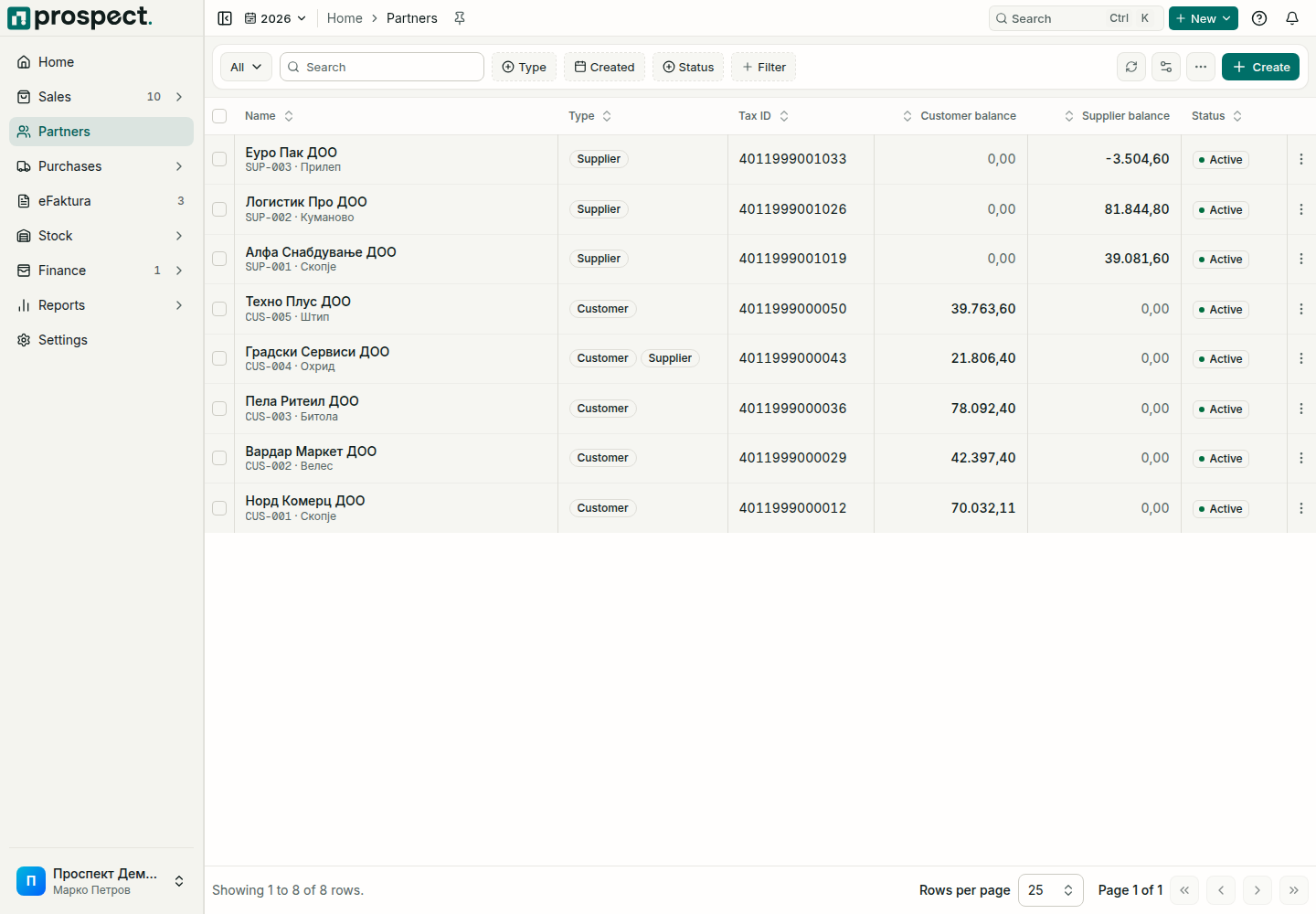
Create a partner
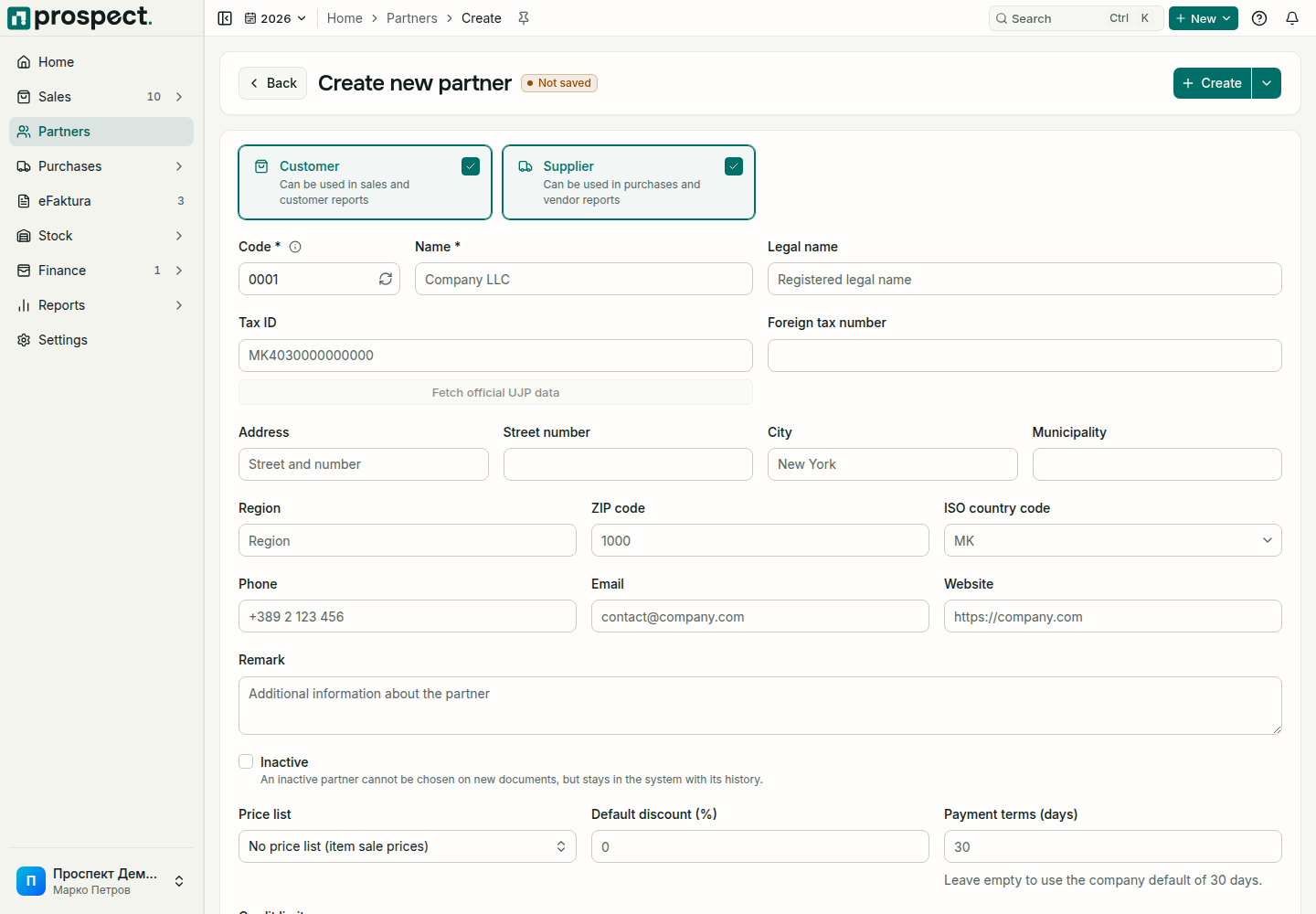
Open Partners, choose Create, and tick Customer, Supplier, or both.
Enter the legal/display name, tax and registry identifiers, address, email, phone, and payment terms.
For customers, set a credit limit only when your sales policy should enforce one.
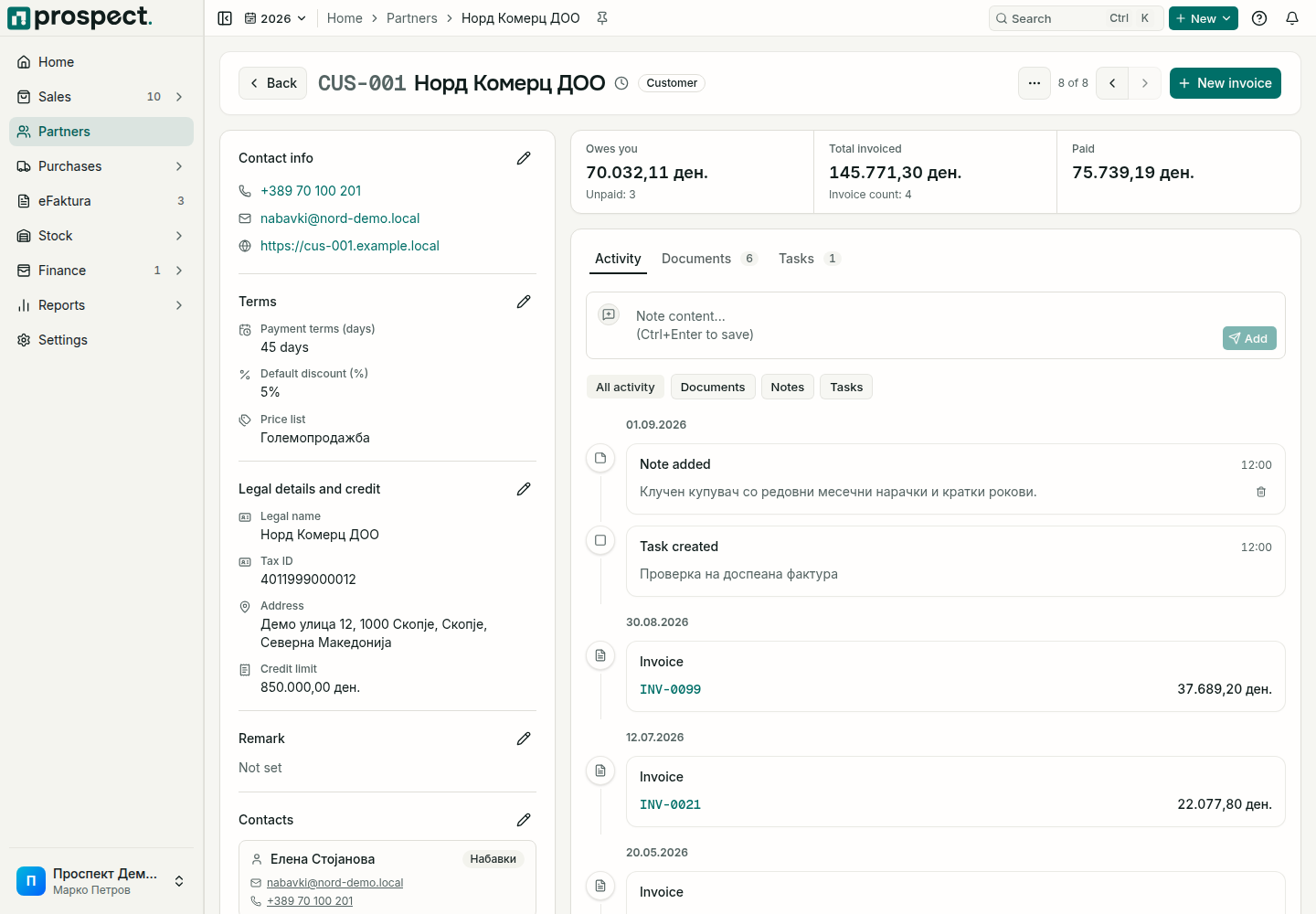
For customers with agreed prices, assign a price list and default discount; payment terms set the due date on new invoices and orders. See Price lists, partner discounts, and payment terms.
Changing a partner does not rewrite snapshots on confirmed documents. Deactivation prevents future selection while preserving history. A credit-limit override requires its specific sales permission and should be explained in the activity record.
The partner page and list
The partner page keeps its sections in tabs whose address can be shared or bookmarked. Edit contact and commercial details in place on the page, and page through every document of the partner on its documents tab. The partners list can be sorted by balance and shows an EDB column; ticked partners work like every other list, see Navigation, search, and notifications.
Quick view in a partner's row menu opens a summary beside the list: the receivable and payable balances separately, contact details, the next task with a due date, and recent activity. On the partner page, Filter activity narrows the timeline to the kinds of events you want to see.