Bills of Materials for Made-to-Order Sales
Take the parts of a one-off product out of stock against the order or invoice that sold it, and see the margin of the sale.
A bill of materials lists the parts used to build something you sell once, such as a conveyor. The order or invoice line says "Conveyor × 1"; the bill of materials linked to that line takes the screws, profiles and other parts out of the warehouse. You need no delivery note for the parts and no stock of the finished product.
You need: the Stock permission, an active Bill of materials (BOM) document series, an item of the type Made to order (see Create items), and a confirmed sales order or invoice with a line for that item.
Create a bill of materials
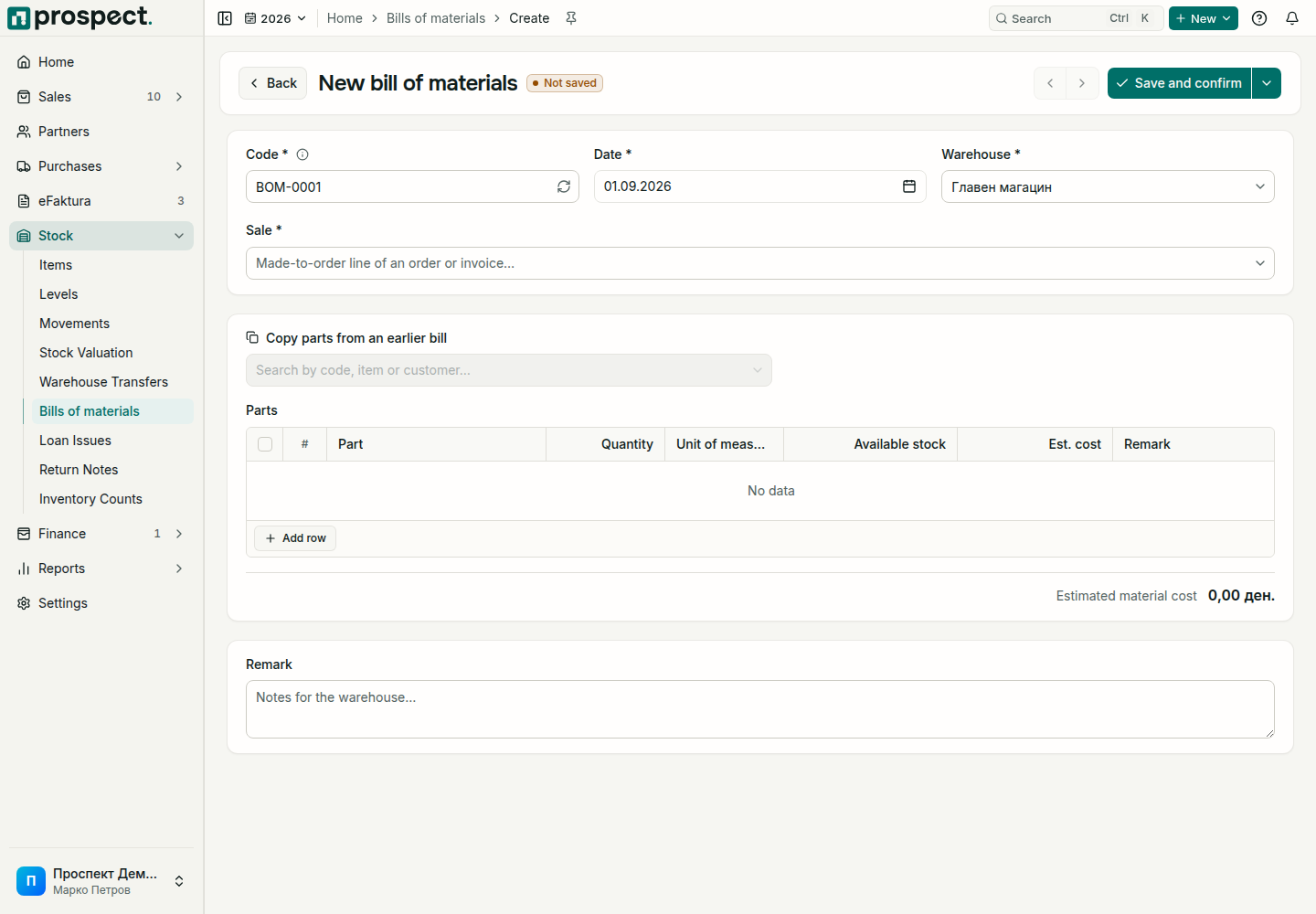
Open Stock → Bills of materials and choose Create, or choose Add bill of materials on the order or invoice that sold the item.
Under Sale, pick the made-to-order line of a confirmed order or invoice. The list says when a line already has a bill of materials.
Check the code and date and choose the Warehouse the parts leave from.
Under Parts, add each part with its quantity. Each line shows the stock in the warehouse and an estimated cost, and the total estimated material cost is shown below. To start from an earlier job, choose Copy parts from an earlier bill: its parts are copied and scaled to the quantity of this sale.
Choose Save and confirm. The parts leave the warehouse. Save draft in the arrow menu keeps a draft to finish later.
What confirming changes
- Each part leaves the warehouse at its moving-average cost and appears in Stock movements. The negative-stock policy and locked periods apply as on any stock document; an authorized override needs a reason.
- The order or invoice shows Made to order: parts and margin: each bill of materials with its date, status and cost, and the line's revenue, material cost and margin.
- Profit reports count the parts as the cost of the made-to-order item and of its customer.
- Delivery notes and invoices move no stock for the made-to-order item itself.
Corrections
Reverse on a confirmed bill of materials puts the parts back into the warehouse at the cost they left with; the sale does not change. A draft can be deleted from the card on the order or invoice.
Reversing an invoice does not bring its parts back. Prospect warns that the parts on its confirmed bills of materials stay out of stock; reverse those bills of materials too if the parts come back.
See Stock levels and Stock valuation.